
Photos
4 posts
• Page 1 of 1
Photos
by Peanut.rob on Fri Jul 16, 2010 9:01 am
could anybody tell me when will the board atachment quota b sorted thanks as i cant upload pics because im using my phone i do have pics on photobucket but cant work out how to transfer them over
-
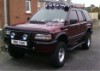
Peanut.rob - Apprentice Frontera engineer

- Posts: 99
- Joined: Mon Jun 07, 2010 12:54 pm
- Location: North wales
- Model: 2.2i 5dr
- Registration Year: 1995/N
- Vehicle Name: Trucky
- Modifications: All terain tyres on alloys bullbars sidesteps and 6 spotlights
- Region: North Wales
Re: Photos
by Drift on Fri Jul 16, 2010 9:37 am
Im afraid it wont be for some time as we have very kindly been donated free server space and we do not want to abuse the owners generosity by using to much space.
Ste
FOG Administrator
Frontera Technical Support
Often Imitated Never Bettered
http://www.fronteraowners.co.uk

Its here, the FOG Annual Meet 2014 viewforum.php?f=123
FOG Administrator
Frontera Technical Support
Often Imitated Never Bettered
http://www.fronteraowners.co.uk
Its here, the FOG Annual Meet 2014 viewforum.php?f=123
-

Drift - The Man-ual

- Posts: 43955
- Joined: Tue Dec 06, 2005 11:20 pm
- Location: Driftshire
- Model: 2.8 TDI 5dr
- Registration Year: 1995/N
- Vehicle Name: Daddy's Car or Triggers Broom
- Modifications: 2.8 TDI LWB
Tinkered to it's practical limits but understated, though shockingly cool (do you know her?).
She is nicccccceeee ;-) - Region: North West
- Skype Username: driftwood10
Re: Photos
by Road Hog on Fri Jul 16, 2010 9:38 am
the Photobucket thing is really easy (although not obvious) basically when you click on a thumbnail picture it will open a bigger copy,from the the list on the left click the bottom link (IMG code) it will show a little yellow copied box,paste it into the thread like ..........

The above when pasted will appear as a line of text ..............
[img]http://i304.photobucket.com/albums/your-album-name/your-photobucket-account-name/your-picture-number.jpg[/img]
Basically it makes a hyperlink to the picture which saves huge amounts of forum server space
To check that it has worked press the Preview button & it will show how the post will appear on the forum,just scroll down & then modify/add or press Submit... jobs a good un
The above when pasted will appear as a line of text ..............
[img]http://i304.photobucket.com/albums/your-album-name/your-photobucket-account-name/your-picture-number.jpg[/img]
Basically it makes a hyperlink to the picture which saves huge amounts of forum server space
To check that it has worked press the Preview button & it will show how the post will appear on the forum,just scroll down & then modify/add or press Submit... jobs a good un
Last edited by Road Hog on Fri Jul 16, 2010 9:41 am, edited 1 time in total.
Reason: added info
Reason: added info
-

Road Hog - Forum Wino

- Posts: 12637
- Joined: Sat Oct 21, 2006 10:39 pm
- Region: International
Re: Photos
by Peanut.rob on Fri Jul 16, 2010 9:56 am
Thanks its easy on computer but not on phone i will try again i c u found collin
-
Peanut.rob - Apprentice Frontera engineer
- Posts: 99
- Joined: Mon Jun 07, 2010 12:54 pm
- Location: North wales
- Model: 2.2i 5dr
- Registration Year: 1995/N
- Vehicle Name: Trucky
- Modifications: All terain tyres on alloys bullbars sidesteps and 6 spotlights
- Region: North Wales
4 posts
• Page 1 of 1
Who is online
Users browsing this forum: Google [Bot] and 37 guests